

Download Calculator NET – scientific calculator, math tool, calculation app, math solver, calculator app, web calculator, math utility, calculation tool, math calculator, calculator for students
Overview
Calculator NET is a web-based mathematical utility designed to deliver fast, accurate, and reliable calculations across a wide range of use cases. As a tool built for practicality, it addresses the common need for immediate access to a full-featured calculator—especially in academic, professional, and everyday scenarios where a physical device may be unavailable. The app serves as a digital alternative for users who require more than basic arithmetic, offering advanced functions such as trigonometry, logarithms, and exponentials.
Targeted primarily at students, educators, and professionals in technical fields, Calculator NET supports both simple and complex problem-solving workflows. Its web-based nature ensures accessibility from any device with a browser, making it a flexible solution for homework, exam preparation, and on-the-go calculations. The tool is particularly valuable in educational environments where quick verification of mathematical results is essential.
Developed by Eddie C. Reardon, the application has been available since 2006, reflecting a long-standing commitment to providing a stable and functional math utility. While the developer did not provide additional technical details, the app’s enduring presence suggests consistent reliability. In the broader app ecosystem, Calculator NET occupies a niche as a lightweight, no-frills calculator that prioritizes functionality over flashy design, serving users who value performance and accuracy.
Key Features & Functionality
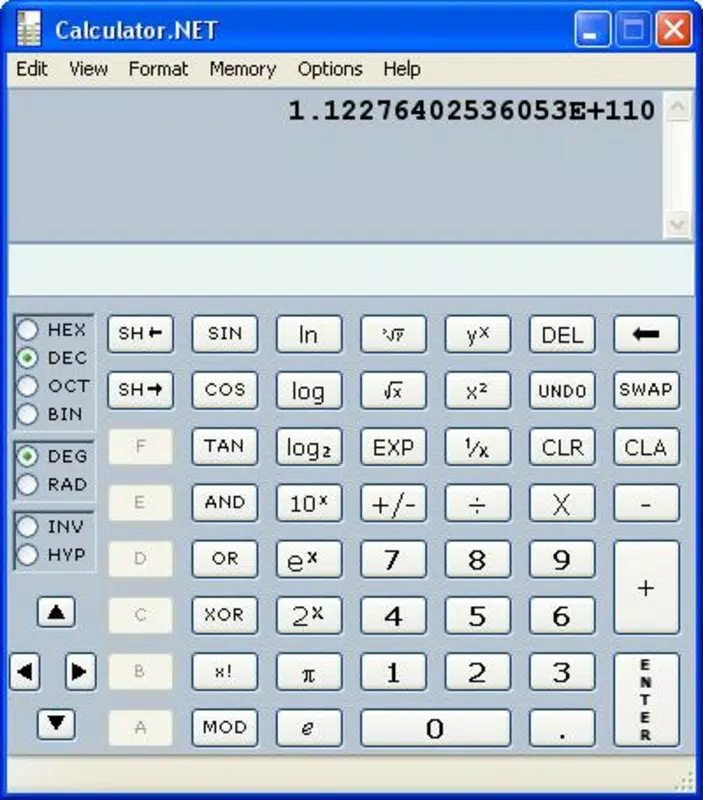
- Full-Featured Scientific Calculator: Supports a comprehensive range of mathematical operations, from basic arithmetic to advanced functions such as sine, cosine, tangent, logarithms, and exponentials. Ideal for students tackling algebra, calculus, or physics problems.
- Customizable Interface: Includes a setup panel allowing users to adjust colors and themes. This personalization enhances usability for individuals with visual preferences or accessibility needs.
- Instant Results: Delivers immediate feedback on calculations, reducing delays and enabling efficient workflow during time-sensitive tasks like exams or project work.
- User-Friendly Design: The interface is structured for intuitive navigation, minimizing the learning curve. Users of all skill levels can access required functions without prior training.
- Supports Various Operations: Handles addition, subtraction, multiplication, division, roots, powers, and more. Suitable for daily calculations, academic assignments, and technical modeling.
For example, a high school student preparing for a math test can use the trigonometric functions to verify angle calculations. A college student working on a physics assignment can quickly compute logarithmic values. A professional managing financial data may use the exponential functions for growth rate modeling. The versatility of Calculator NET ensures it remains relevant across multiple domains.
Interface, UX & Performance
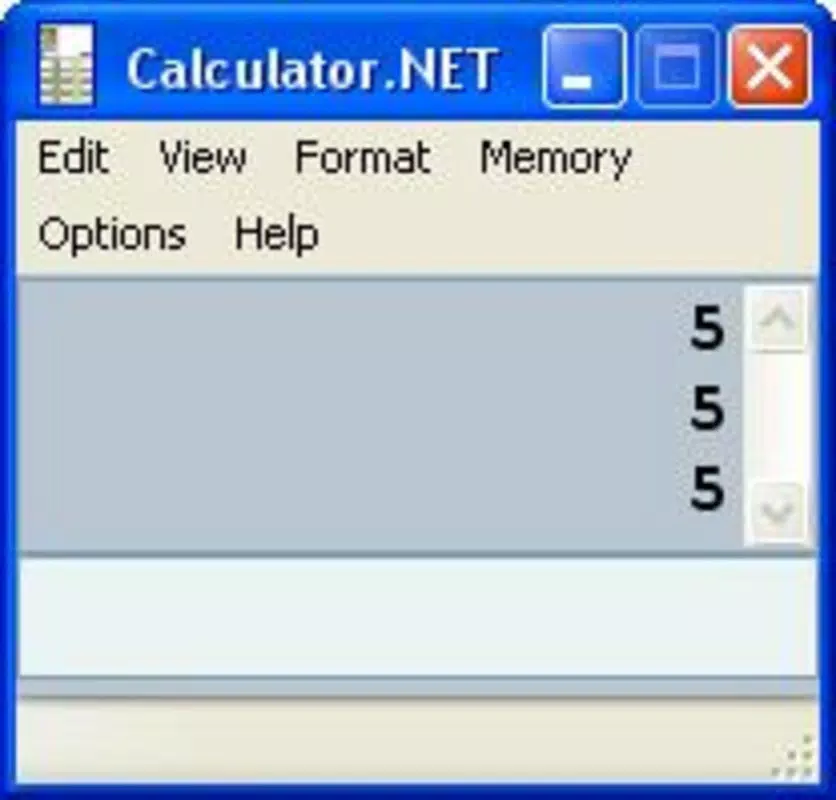
The user interface of Calculator NET is designed with clarity and simplicity in mind. It presents a clean layout with clearly labeled buttons and logical grouping of functions, promoting ease of use. The visual style is minimalistic, focusing on functionality rather than decorative elements, which helps reduce cognitive load during intensive calculations.
Navigating through the app is straightforward, with operations executed in real time. Users can input expressions sequentially, and results appear instantly, supporting a fluid workflow. The interface adapts to different screen sizes, though the developer did not specify exact compatibility details for various devices.
Although the developer did not list formal performance metrics, the app’s lightweight file size of 1.2 MB suggests efficient resource usage. This contributes to fast loading times and stable operation, even on older or low-end devices. Responsiveness appears consistent across platforms, as the web-based nature allows for smooth interaction via touch or keyboard input. Stability is implied by the app’s long-standing availability, though no formal error reports or crash statistics were provided.
Platform Compatibility & Technical Requirements
Calculator NET is a web-based application, meaning it operates through standard web browsers rather than being installed as a native mobile app. This allows access across multiple platforms, including Android and iOS devices, as long as a compatible browser is available. The app does not require a dedicated installation package, eliminating the need for downloads or updates through app stores.
The current version is 2.0.0, with a file size of 1.2 MB. This small footprint ensures quick loading and minimal storage impact. Specific OS requirements were not listed, so compatibility with different versions of Android or iOS cannot be confirmed. However, its reliance on web standards suggests broad compatibility with modern browsers.
Users can access Calculator NET from any device with internet connectivity, making it ideal for environments where installing additional software is restricted. The lack of platform-specific requirements also simplifies deployment, especially in educational settings where device diversity is common.
Pros and Cons
- Lightweight and fast-loading, ideal for low-bandwidth or older devices
- Full scientific calculator functionality without installation
- Customizable interface enhances user comfort and accessibility
- Instant calculation results improve workflow efficiency
- Free to use with no ads or hidden fees
- Web-based nature requires internet access for full functionality
- No native mobile app available for offline use
- Developer did not provide detailed system requirements
- Interface lacks modern design trends, may feel outdated to some users
- Updates and new features are not publicly documented
FAQ
Is Calculator NET safe to use?
Yes, Calculator NET is a web-based tool that runs in your browser. It does not require installation, downloads, or permissions, reducing the risk of malware or data collection. As a free utility, it does not display ads or request personal information.
Can I use Calculator NET offline?
No, the app requires an active internet connection to function, as it operates through a web browser. There is no offline mode or downloadable version available.
Is Calculator NET available for Android and iOS?
Yes, since it is web-based, Calculator NET can be accessed from any smartphone or tablet with a modern browser, including devices running Android and iOS.
Does Calculator NET support keyboard input?
Yes, users can input expressions using a physical or on-screen keyboard, making it convenient for complex calculations or faster data entry.
How often is Calculator NET updated?
The developer did not provide information on update frequency. The latest version available is 2.0.0, released in 2006, though the app remains accessible today.
Final Thoughts
Calculator NET stands out as a dependable, no-cost solution for users seeking a full-featured scientific calculator without the need for installation. Its web-based architecture ensures broad accessibility, while its lightweight design and instant results make it efficient for both students and professionals. Though it lacks modern UI trends and offline capabilities, its core functionality remains solid and purpose-built.
Those who prioritize accuracy, speed, and simplicity in their calculations will find value in this tool. It’s especially beneficial for educational use, where consistent, reliable math operations are critical. For users needing a secure, free, and web-accessible calculation app, Calculator NET delivers on its promise.
Download Calculator NET now


